Digital loyalty cards are transforming how businesses increase customer retention and repeat sales in today’s mobile-first world. If you are following recent eCommerce growth trends, you will find that digital loyalty cards play a crucial role in keeping customers engaged by staying directly on their smartphones, making them easy to access and impossible to forget.
What Is a Digital Loyalty Card?
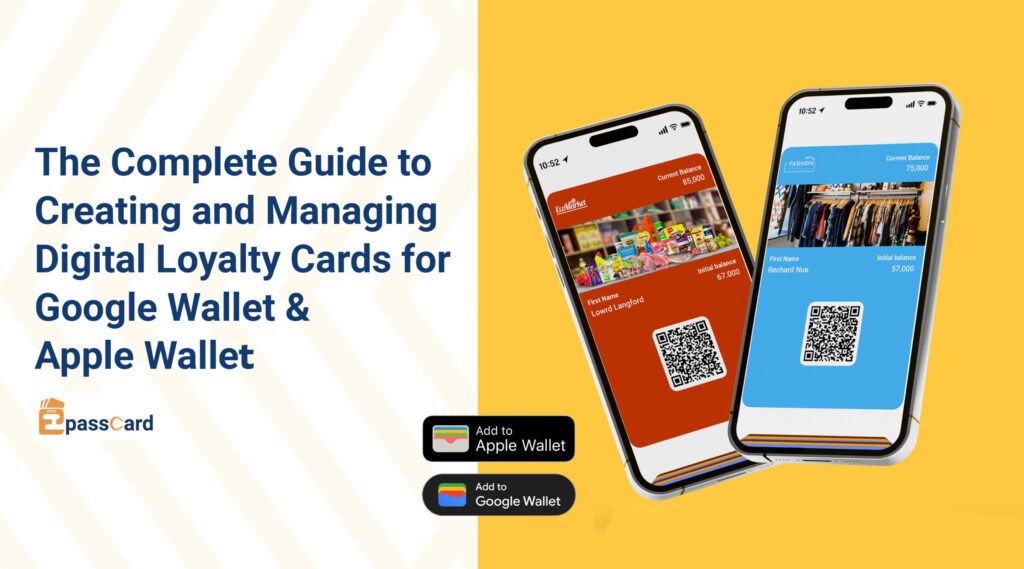
A digital loyalty card is an electronic version of a traditional reward or membership card. Instead of printing a physical plastic card, it is stored inside a phone’s wallet app, such as Apple Wallet on iPhone or Google Wallet on Android.
These cards help businesses reward customers for their purchases and encourage repeat visits. They make it easy to track customer points and benefits accurately over time. Digital loyalty cards enable businesses to offer discounts directly through the card and provide exclusive perks to loyal customers Card details such as points, rewards, or expiry information can be updated instantly without issuing a new card.
Digital loyalty cards are becoming the new standard because customers prefer fast, mobile-friendly experiences that fit naturally into their daily lives.
Why Are Businesses Switching to Digital Loyalty Cards?
Loyalty programs are no longer limited to large brands. Today, small and medium-sized businesses also rely on loyalty programs to retain customers and increase repeat purchases. Businesses that benefit most include cafés, restaurants, retail stores, gyms, salons, clinics, eCommerce stores, and service-based businesses. Any business that wants customers to return regularly can gain value from a structured loyalty program.
As customer behaviour becomes increasingly mobile-first, businesses are adopting digital loyalty cards to meet modern expectations. Compared to traditional plastic cards, digital loyalty cards offer greater convenience, lower costs, and better engagement opportunities. These advantages make them a practical choice for businesses looking to modernize their customer retention strategy.
Always Available on the Customer’s Phone
Digital loyalty cards are stored directly in the customer’s mobile wallet, ensuring they are always accessible. Customers no longer need to carry physical cards or worry about forgetting them at home. This convenience increases the likelihood that customers will use the card during every visit, helping businesses capture consistent loyalty activity.
Cost-Effective and Eco-Friendly
Digital loyalty cards eliminate the need for printing, distribution, and replacement costs associated with plastic cards. Businesses save money while also reducing environmental waste. By switching to a paperless and plastic-free solution, companies can support sustainability efforts while maintaining a professional loyalty program.
Instant Updates and Real-Time Changes
Points, rewards, expiry dates, and membership information can be updated instantly on digital loyalty cards. Customers see these updates in real time without needing a new card. This flexibility allows businesses to run promotions, adjust rewards, and manage loyalty programs more efficiently.
Works on iPhone and Android Devices
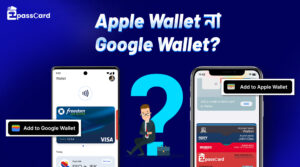
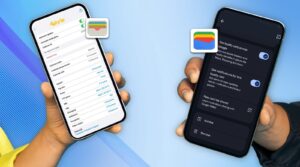
Digital loyalty cards are compatible with both Apple Wallet and Google Wallet, covering nearly all smartphone users. Businesses do not need to manage separate systems for different devices. This universal compatibility ensures a consistent experience for every customer, regardless of their phone type.

Image source: Freepik
Easy Distribution Across Multiple Channels
Businesses can share digital loyalty cards through QR codes, direct links, email campaigns, SMS messages, or social media. This flexibility makes onboarding fast and convenient for customers. Whether online or in-store, customers can add the card to their wallet within seconds.
Higher Customer Engagement
Digital loyalty cards are visually appealing and designed to attract attention. When updated, they can trigger wallet notifications that remind customers about rewards or promotions. These subtle reminders help keep the brand top of mind and encourage repeat visits.
How to Create a Digital Loyalty Card?
Creating a digital loyalty card starts with choosing a platform that supports mobile wallet compatibility and flexible customization. Businesses typically look for solutions that work with Apple Wallet and Google Wallet, allow branding, and support real-time updates. These platforms replace traditional plastic cards with modern, smartphone-based loyalty experiences.
Several platforms in the market offer digital loyalty card creation, including EpassCard, PassKit, and WalletKit. These tools allow businesses to design, generate, and distribute digital cards that customers can store in their mobile wallets. Each platform provides core wallet functionality, but they differ in ease of use, customization options, and scalability.
Among these solutions, EpassCard stands out as the most business-friendly option. It offers a balance of simplicity, flexibility, and full wallet compatibility without requiring technical knowledge. Businesses can create branded loyalty cards quickly, manage updates effortlessly, and scale their programs as they grow.
How Does EpassCard Help You Create Wallet-Compatible Loyalty Cards?
EpassCard gives businesses a fast and effortless way to launch digital loyalty programs without needing technical skills or hiring developers. The platform is built to work smoothly with both Apple Wallet and Google Wallet, making it simple for your customers to engage with your brand.
Here is what you can achieve with EpassCard:
1. Create Fully Branded and Professional Loyalty Cards
Customize every part of your card to match your brand identity. Upload your logo, choose your colors, select layout options, and personalize fields such as points, membership levels, expiry dates, and more. You can also add barcodes or QR codes for easy scanning at checkout.

2. Works Instantly on Apple Wallet and Google Wallet
Each loyalty card generated by EpassCard is automatically compatible with both wallet platforms. Customers can save the card with a single tap, regardless of whether they use an iPhone or Android device.

3. Simple Sharing and Customer Onboarding
EpassCard makes it easy to distribute loyalty cards through multiple channels, including direct links, QR codes, email invitations, and SMS. Customers do not need to download any additional apps to use the card. With just one tap or scan, the loyalty card is added to their mobile wallet within seconds.

4. Real-time Updates for Points and Rewards
Update customer points, rewards, status, or expiry information at any time. The card refreshes automatically on the customer’s phone, helping you run a dynamic and engaging loyalty experience.
5. Works for Any Business Type
Whether you run a small café, a large retail shop, a gym, a salon, a charity organization, or an online store, EpassCard can support your loyalty strategy. The platform is built to scale from small businesses to enterprise level programs.
Step-by-Step Tutorial: Create a Digital Loyalty Card Using EpassCard
Creating a digital loyalty card with EpassCard is a structured and beginner-friendly process. The platform allows businesses to design, configure, and distribute wallet-compatible loyalty cards without technical expertise. The steps below guide you through the complete process from selecting a template to sharing the finished card with customers.
1. Choose a Card Type or Template
Go to Pass templates in the EpassCard dashboard and click Create new pass template.
You can choose the card type you want to create:
- Loyalty card
- Membership card
- Coupon card
- Gift card
- Customer card
- Warranty card
You can use a ready-made layout or start with a blank template.

2. Customize the Loyalty Card Design
EpassCard allows complete design flexibility so businesses can fully control how their digital loyalty cards look and function. You can upload your logo, product images, or banners; add custom fields such as store name, customer name, points, discounts, coupon codes, expiry dates, and membership levels, and choose between a QR code or barcode for checkout scanning. Colors and layouts can be adjusted to match your brand identity, and every field remains customizable so you can define both the label and the information displayed later.
3. Configure Template Details
After finalizing the visual design of your loyalty card, the next step is to configure the template settings that define how the card will function. Begin by entering the template name and description, which help you identify and organize your templates within the EpassCard dashboard. Next, specify the organization name, which will appear on the card to ensure brand consistency. You can also set the maximum number of passes you want to issue under this template, helping you manage distribution effectively. Finally, attach the required certificate, which is necessary for compatibility with Apple Wallet and Google Wallet, ensuring that your digital loyalty cards work seamlessly across all devices.
 4. Generate a Pass
 4. Generate a Pass
Click Create Single Pass, then enter your field values: store name, customer name, points, discount, membership level, etc. EpassCard will generate the digital loyalty card automatically.

5. Share the Card
When the pass is created, EpassCard provides you with:
- A direct link for Apple Wallet and Google Wallet
- A QR code customers can scan to save the card
- A shareable URL you can use in SMS, email, social media, or your website
Customers can easily add the card with a single tap or by scanning the QR code displayed in-store.
How Can Customers Add Loyalty Cards to Google Wallet and Apple Wallet?
Once you’ve created your digital loyalty card using EpassCard and shared the link or QR code, your customers can add the card to their mobile wallets in just a few seconds. The process is simple, familiar, and works smoothly on both iPhone and Android devices.
For iPhone Users – Adding to Apple Wallet
Adding a digital loyalty card to Apple Wallet is quick and straightforward. Customers can save the card directly from your EpassCard link or by scanning a QR code. Once added, the card is always accessible on their iPhone for easy use at checkout.
- Customers tap the “Add to Apple Wallet” button from your EpassCard link or scan your QR code.
- The loyalty card opens inside the Apple Wallet preview screen.
- They tap “Add”, and the card is instantly saved to their Wallet.
- To redeem points or rewards, customers simply open the Wallet app and show the QR code or barcode at checkout.
Apple Wallet automatically keeps the card organized with its other passes, making it easy to find and use anytime.

For Android Users – Adding to Google Wallet
Adding a digital loyalty card to Google Wallet is fast and seamless. Customers can save the card directly from your EpassCard link or by scanning a QR code. Once added, the card is readily available on their Android device for quick use during checkout.
- Customers tap the “Save to Google Wallet” button.
- The loyalty card opens inside the Google Wallet preview screen.
- They tap “Add”, and it’s saved to their Google Wallet.
- During checkout, customers open the Wallet app and show their QR or barcode for scanning just like a physical loyalty card.
Google Wallet also supports automatic updates, so any edits you make (points, discounts, customer details) instantly appear on the customer’s phone.

Bonus: Best Practices for Successful Digital Loyalty Programs
To maximize the impact of your digital loyalty cards, follow these proven best practices:

Design Engaging Rewards
Offer meaningful incentives that encourage repeat purchases. Create tiered reward systems with progressively better benefits as customers reach higher levels. Provide exclusive perks for loyal customers and ensure rewards are simple to understand and redeem.
Promote Effectively
Train your staff to explain the loyalty program and its benefits. Display QR codes prominently in your store, share success stories on social media, and include wallet links in email and SMS campaigns.
Monitor and Optimize
Track redemption rates and engagement metrics. Identify popular rewards and focus on what drives value. Adjust your program based on customer feedback and use analytics to create targeted offers.
Keep It Fresh
Regularly update offers and rewards to maintain interest. Send push notifications for promotions and milestones, and continuously improve the program based on customer behavior and feedback.
Digital loyalty cards offer a seamless, modern way to engage customers, and with EpassCard, businesses can quickly create wallet-ready cards for Apple Wallet and Google Wallet that drive loyalty, repeat visits, and lasting customer relationships.
Share your ideas or ask questions in the comments. We would love to hear from you!
Subscribe to our blog and never miss a post.
Frequently Asked Questions (FAQ)
Are digital loyalty cards secure?
Absolutely. Digital loyalty cards are stored securely in the customer’s wallet app, and EpassCard uses encryption and verified certificates to protect your data.
Can I use EpassCard without a website?
Yes. You can share your digital loyalty cards via direct links, QR codes, SMS, or email. No website or app download is needed for your customers.
Can points and rewards expire automatically?
Yes. You can set expiry dates for points, rewards, or membership levels, and the card will update automatically on the customer’s device.
Can EpassCard integrate with my POS system?
While EpassCard primarily focuses on wallet-compatible cards, you can scan QR codes or barcodes at checkout and manually update points. For advanced POS integration, contact EpassCard support.
Do digital loyalty cards work for all types of businesses?
Yes. EpassCard supports small cafés, gyms, retail shops, salons, charities, online stores, and enterprise-level programs.