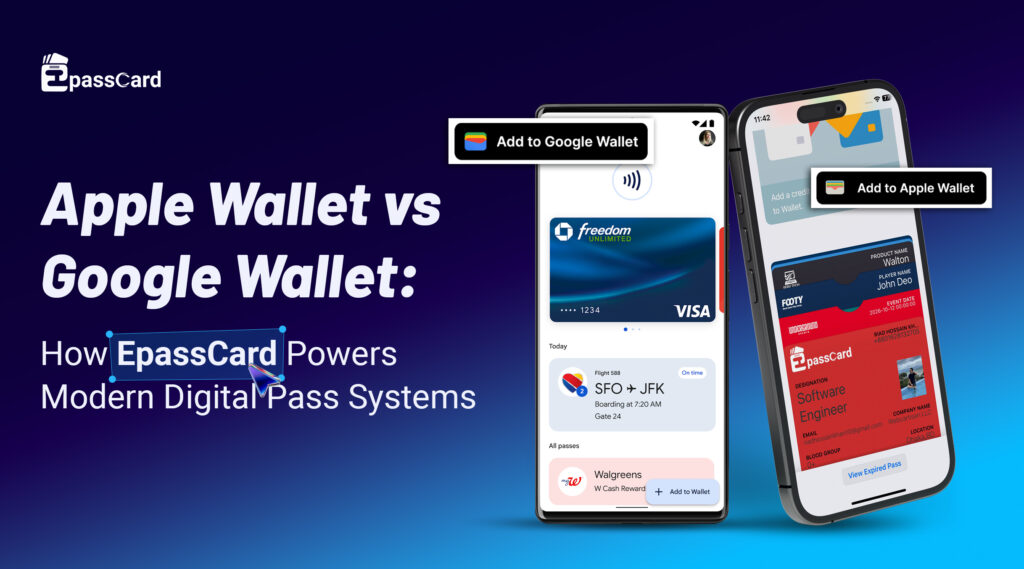
Digital wallets have reshaped how businesses deliver value to customers. Beyond contactless payments, wallets like Apple Wallet and Google Wallet now serve as digital card hubs — storing loyalty cards, event tickets, boarding passes, membership IDs, and more. Both platforms unlock powerful engagement opportunities, but choosing the right system (or supporting both) requires understanding key differences in technology, behaviour, and business impact. In this guide, we’ll compare Apple Wallet vs Google Wallet, reveal how they work behind the scenes, and show how EpassCard helps you build scalable digital pass systems without heavy development overhead.
What Are Apple Wallet and Google Wallet?

Apple Wallet and Google Wallet are native mobile wallet platforms that allow users to store, manage, and interact with digital passes directly from their smartphones. These passes can represent payment cards, loyalty cards, boarding passes, event tickets, access credentials, and virtual membership cards — all without requiring a separate mobile application.
Unlike traditional mobile apps, wallet passes are designed for instant access and real-time interaction. A pass can appear automatically on a user’s lock screen when they arrive at a store, venue, or event, making it frictionless to present a QR code, barcode, or NFC credential for validation.
From a technical perspective:
- Apple Wallet uses a secure pass format (.pkpass) embedded directly into the iOS ecosystem. Passes are cryptographically signed and stored locally on the device, offering strong privacy controls and tight hardware-level security through Face ID and Touch ID.
- Google Wallet operates on a cloud-based architecture using structured JSON objects delivered through APIs. This enables faster automation, easier large-scale deployment, and deeper integration with Google services such as Gmail and Calendar for automatic pass delivery.
In short, Apple Wallet and Google Wallet are not just storage apps — they are distribution channels for real-time digital experiences that connect businesses directly to users’ mobile devices.
Core Differences: Apple Wallet vs Google Wallet
When businesses start exploring a digital wallet pass system, the first question usually comes up:
Apple Wallet vs Google Wallet — which one should I build for?
Both platforms allow companies to issue virtual card wallets, loyalty cards, tickets, and QR-based passes. But they work differently behind the scenes, and those differences affect reach, user experience, scalability, and long-term growth.
Let’s break it down in simple terms.
1. Platform Compatibility & User Reach
Apple Wallet works only on Apple devices like iPhones and Apple Watches. The app comes pre-installed, so iPhone users already have it ready to use. This creates a smooth experience for Apple customers, but it also limits reach to the iOS ecosystem.
Google Wallet, on the other hand, runs on most Android phones, Wear OS smartwatches, and many affordable devices worldwide. Since Android dominates global smartphone usage, Google Wallet naturally reaches a much larger audience.From a business perspective, if your goal is mass adoption for a QR code wallet system or virtual card wallet, Google Wallet usually offers broader exposure.
2. Pass Design & Display Experience

The way a digital pass looks and behaves matters for branding and usability.
In Apple Wallet, passes are designed like cards with a front and back view. The front shows important details such as your logo, QR code, and expiry date, while the back contains extra information like terms, instructions, or contact details. This creates a clean and premium appearance.
In Google Wallet, passes follow a scrollable layout where most information appears on one screen. Users can quickly see all details without flipping the card, which works especially well for operational environments such as scanning, verification, or entry control.
If visual simplicity is important, Apple Wallet shines. If fast access and visibility matter for a digital wallet pass system, Google Wallet often performs better.
3. Ecosystem Integration & Pass Discovery
Apple Wallet is deeply connected to the Apple ecosystem. Passes can appear automatically on the lock screen when a user arrives at a store, venue, or event. It integrates smoothly with Apple Maps, Safari, and iOS notifications.
Apple Wallet is deeply connected to the Apple ecosystem. Passes can appear automatically on the lock screen when a user arrives at a store, venue, or event. It integrates smoothly with Apple Maps, Safari, and iOS notifications.
Google Wallet connects strongly with Google services like Gmail and Calendar. For example, if someone receives a ticket or reservation in Gmail, Google Wallet can automatically suggest adding it to their wallet. This reduces friction and improves pass adoption without needing a dedicated mobile app.
For businesses distributing loyalty cards in Google Wallet or event passes, this automatic discovery can significantly increase user engagement.
4. Privacy, Security & Data Control
Apple follows a strict privacy-first model. Most pass data stays on the device and is protected by Face ID or Touch ID. Apple collects minimal usage data, which appeals to privacy-conscious users and enterprises.
Google Wallet also uses strong encryption and a secure cloud infrastructure. Since data is cloud-managed, businesses can gain valuable analytics and insights into user engagement. This helps businesses improve campaigns and enhance customer journeys.
If privacy branding is your priority, Apple Wallet fits well. If performance tracking and improving campaigns matter more, Google Wallet provides greater operational visibility.
5. Notifications & Smart Engagement

Both wallets support smart notifications, but they behave differently.
Apple Wallet shows relevant passes when users are near a location or during a scheduled time — quietly and without being intrusive.
Google Wallet uses multiple signals such as location, Wi-Fi proximity, motion patterns, and dwell time. This enables more flexible automation and custom triggers.
For advanced engagement workflows inside a QR code wallet system or loyalty program, Google Wallet offers greater flexibility.
6. Pass Distribution & User Onboarding
Both platforms support easy delivery methods:
- Email links.
- SMS and messaging apps.
- Website download buttons.
- QR code scans.
Apple Wallet installs passes directly as .pkpass files. Google Wallet uses cloud-based pass objects that sync across devices.
From a user standpoint, both are simple. From a business standpoint, Google Wallet allows easier automation and bulk deployment for large-scale virtual card wallet projects.
7. Development & Long-Term Scalability
Apple Wallet requires certificates, signing processes, and often macOS-based tools. While stable and secure, it can slow down rapid experimentation.
Google Wallet uses APIs and structured data models that support automation, bulk issuance, and real-time updates. This makes it ideal for scaling a digital wallet pass system quickly.
This is why many growing businesses choose Google Wallet for early adoption and later expand to Apple Wallet for full coverage.
Quick Summary: Apple Wallet vs Google Wallet
| Area | Apple Wallet | Google Wallet |
| Device Reach | iPhone, Apple Watch (iOS ecosystem only) | Android phones, Wear OS watches, global device coverage |
| User Base Strength | Strong in premium and enterprise markets | Dominant worldwide due to Android adoption |
| Pass Design & Layout | Two-sided card layout (front + back fields) | Single scrollable layout with all fields visible |
| Branding Control | Clean, minimal UI with strict design rules | Flexible layouts and enhanced field control |
| Ecosystem Integration | Deep integration with Apple Maps, Safari, Messages, Siri | Tight integration with Gmail, Calendar, and Google services |
| Privacy & Security | On-device storage, Face ID / Touch ID protection, privacy-first | Cloud-secured infrastructure with encrypted data handling |
| Analytics & Insights | Limited engagement visibility | Supports anonymous engagement tracking and reporting |
| Notifications & Context Triggers | Location and time-based lock screen suggestions | Multi-signal triggers (location, Wi-Fi, motion, dwell time) |
| Pass Distribution | Native .pkpass installation via links and QR codes | API-driven cloud passes delivered via links and accounts |
| Automation & Scalability | Certificate-based workflow, slower automation | API-first architecture, fast bulk issuance and updates |
| Development Complexity | Requires Apple certificates and macOS tools | Easier integration via REST APIs and cloud console |
| Best Use Cases | Premium customer experiences, controlled environments | Mass adoption, loyalty programs, QR code wallet systems |
| Best For Businesses That Need | Brand polish, privacy sensitivity | Rapid growth, automation, analytics, flexibility |
How EpassCard Simplifies Wallet Pass Management
EpassCard simplifies the creation, management, and distribution of digital wallet passes from a single platform. Businesses no longer need to maintain separate systems for Apple Wallet and Google Wallet, which saves time, reduces technical complexity, and ensures consistent branding across all devices. With automation, real-time updates, and built-in analytics, teams can focus more on customer engagement and business growth instead of infrastructure management.
Seamless Cross-Platform Distribution
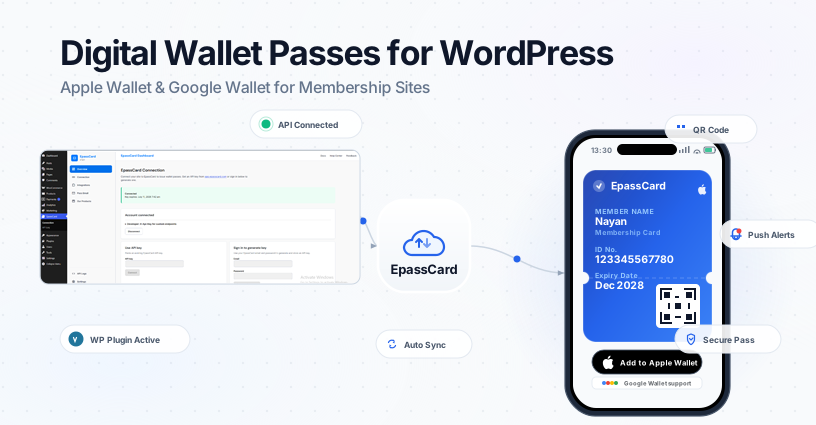
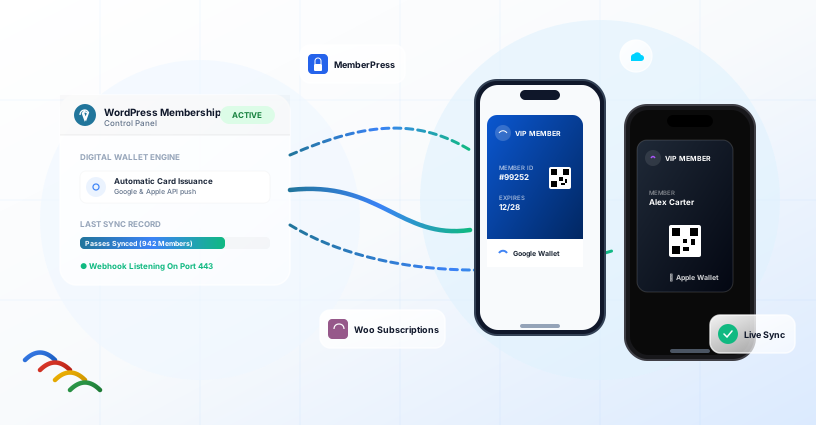
Handling all these differences manually can be overwhelming. EpassCard simplifies digital wallet management by offering a single platform for both Apple Wallet and Google Wallet. Businesses can design passes once and publish them to both ecosystems, maintaining consistent branding and saving time.
Real-Time Updates for Wallet Passes
With EpassCard, creating virtual card wallets is effortless. Businesses can issue membership cards, loyalty cards, access credentials, or tickets that users store directly on their phones. These passes are fully dynamic, updating in real-time.
Any changes to points, balances, event details, or expiration dates are instantly reflected in users’ wallets without requiring them to reinstall or refresh anything. This ensures a seamless, frictionless experience for your customers and keeps engagement high.
Dynamic QR Code Wallet System
EpassCard also supports a powerful QR code wallet system, making check-ins, access control, attendance tracking, and coupon redemption simple and secure. Each QR code is automatically updated and can reflect changes in real-time, eliminating the need for physical cards or manual updates. This not only improves operational efficiency but also provides a smooth, contactless experience for users.
Automation and Developer-Friendly Integration
The platform is developer-friendly, integrating seamlessly with CRMs, booking systems, POS platforms, and mobile apps through APIs. Businesses can automate pass issuance, updates, and validation, enabling large-scale deployment without additional backend work.
Analytics That Drive Engagement
Analytics is another key feature. EpassCard tracks installs, scans, redemptions, and user engagement, giving businesses the insights they need to improve campaigns and enhance customer experiences.In short, EpassCard allows businesses to manage Apple Wallet and Google Wallet passes efficiently, offering a frictionless experience for users while reducing operational complexity.
Use Cases for Digital Wallet Passes
Digital wallet passes are versatile and can be applied across multiple industries:
- Loyalty Programs: Track points, offer promotions, and increase repeat visits without requiring a dedicated app.
- Membership & Access Cards: Replace physical cards with digital equivalents for gyms, offices, or clubs.
- Event Tickets & Boarding Passes: Deliver passes that appear when needed and update automatically if details change.
- Timed Access & Automation: Activate passes based on location or schedule for smooth check-ins.
- Contactless Transit & Venue Entry: Enable tap-to-enter functionality for public transport or private buildings.
- Digital Keys & Age Verification: Unlock hotel rooms, verify age, or access vehicles directly from a wallet pass.
Frequently Asked Questions
Can I use Apple Wallet on Android or Google Wallet on iPhone?
No. Apple Wallet only works on iPhones and Apple Watches. Google Wallet works on Android devices and Wear OS, while iPhone users can access limited Google Pay features, but not full pass support.
Do I need a developer to create passes?
Not necessarily. Platforms like EpassCard provide no-code solutions for marketers and operations teams. Developers are only needed for advanced custom integrations.
Do passes work offline?
Yes. Once a pass is added to a wallet, it is stored locally and accessible without an internet connection. However, features like real-time updates or notifications require connectivity.
Do wallet passes expire automatically?
Yes. Both Apple and Google Wallet support expiration dates and auto-archiving, keeping the interface clean and relevant.
Can passes be updated after they’re issued?
Yes. Both platforms allow real-time updates. EpassCard leverages these capabilities so details like loyalty points, gate numbers, or event times can change without reissuing the pass.